Upload user interviews from Claude
Zernote now lets UX researchers upload a full round of user interviews from Claude in one pass, without opening the website first.
What
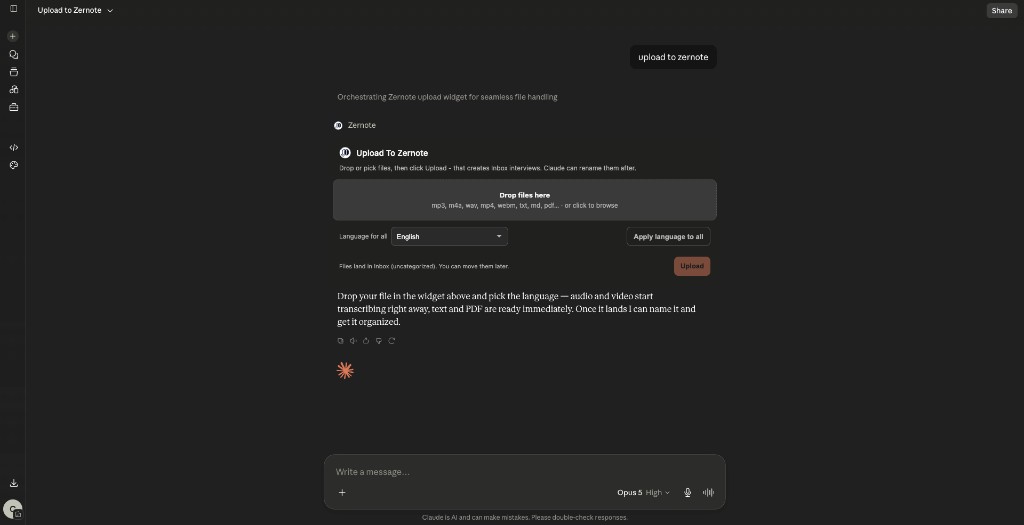
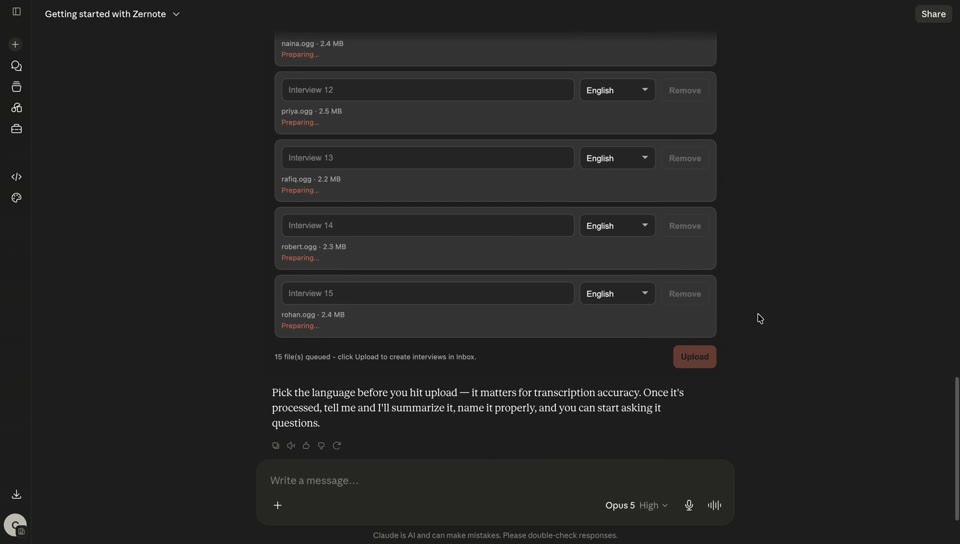
Ask Claude to upload and an in-chat widget opens. Queue one file or a batch.
Files land in your Zernote Inbox. Audio and video go through transcription. Text and PDF skip STT and speaker diarization.
Limits: audio or video up to 2 GB. Text or PDF up to 50 MB.
Why
A recording often arrives in the same chat where you analyze research. Leaving Claude to upload breaks that thread.
Research media lives in Zernote. Transcription, search, and notes all run there. Upload happens in the conversation; browse and playback stay on the website.
How to use
- Connect Zernote in Claude.
- Ask something like: upload these user interviews to Zernote.
- Pick or drop files in the widget. Set the language. Click Upload.
- Find them in Inbox. Move into a project folder when ready.
- Keep working in the same thread with notes, search, or quotes.
Good to know
Upload runs a short prepare, put, confirm sequence behind the scenes. You never see those steps.
After confirm, Claude keeps the new interview id in context and can continue analysis without you hunting for the file.
Topics